Contributing to pl-fe
The page intends to provide a technical overview of the pl-fe codebase and guidelines for potential contributors.
Used technologies
pl-fe is a single page application built using the React framework. It uses TypeScript as the programming language and Vite as the build tool. Routing is handled by TanStack Router. Client state management is done using Zustand and server state management using TanStack Query.
Note
Important parts of pl-fe are currently being refactored to use a different set of libraries. You can find occurrences of tools being phased out, like Redux or TailwindCSS. Larger contributions should wait until the refactor is complete.
pl-fe also uses pl-api library for interacting with the Mastodon-compatible backends. The goal of pl-api is to provide a unified, type-safe API for multiple backends extending Mastodon API in incompatible ways. You can find the pl-api source code in the packages/pl-api directory of the pl-fe repository.
Setting up development environment
Setting up pl-fe requires Node.js and pnpm package manager to be installed. Since Node v16.13, Node.js comes with corepack pre-installed, which can be used to manage package managers like pnpm.
To enable pnpm using corepack, run the following command:
You can now proceed to fetching pl-fe Git repository, installing dependencies, and—finally—running the development server:
# Clone the pl-fe repository
git clone https://codeberg.org/mkljczk/pl-fe.git
cd pl-fe
# Install dependencies
pnpm install
# Build the pl-api dependency
pnpm -F pl-api build # Use `pnpm -F pl-api watch` if you want to develop pl-api alongside pl-fe
# Run the pl-fe development server (by default at http://localhost:7312)
pnpm -F pl-fe dev
The server supports hot module reloading, so any changes you make to the source code will be reflected in the browser automatically.
Tip
You can install the React Developer Tools browser extension to inspect components, their props and state. It might help you understand the application better and identify performance problems. It is available for Firefox, Chrome (and compatible Chromium-based browsers) and Edge.
Testing
Currently, tests are disabled in pl-fe. They will be reintroduced after the ongoing refactor is complete.
Contributing guidelines
pl-fe hosts its repository on Codeberg and GitHub. While issues are only tracked on Codeberg, you can submit pull requests on both platforms. Remember to follow the Code of Conduct when interacting with the community.
The project uses ESLint and Stylelint for code style checking, which is automatically run on every commit using Husky. You can run the linters manually using the following command:
While contributing code, try to follow the existing coding style. Common sense rules regarding contributions apply. Keep your changes focused on a single issue or feature. Do not create pull requests including larger changes you don't understand fully—whether it's from another project or some auto-generated code.
Localization
React Intl is used for localizing pl-fe. All user-visible strings, unless provided by backend, should be made translatable.
Before committing changes adding or modifying user-visible strings, make sure to extract the messages using the following command:
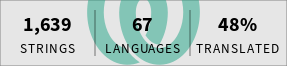
You can help translating pl-fe into your language on Weblate.